Set up your Zella Life account
Add your passkey, then finish the four setup steps so we can start matching you with participants.
Use a computer, signed in to your Zella Google account. It takes 10 to 15 minutes.
1. Add your passkey
In your Zella inbox, open the newest Join Zella Life email and click Sign up, then Add a passkey. A passkey is how you sign in to Zella Life from then on. Save it somewhere that syncs, such as your Google or Apple password manager, so it works on your other devices too.
Note
Start from the invitation email rather than zellalife.com/login. If we resend your invitation, only the newest link works. If another Zella account is signed in in the same browser, sign out first.
2. Finish the four setup steps
You land on Set up your account. Do the steps in any order; your answers are saved as you go.
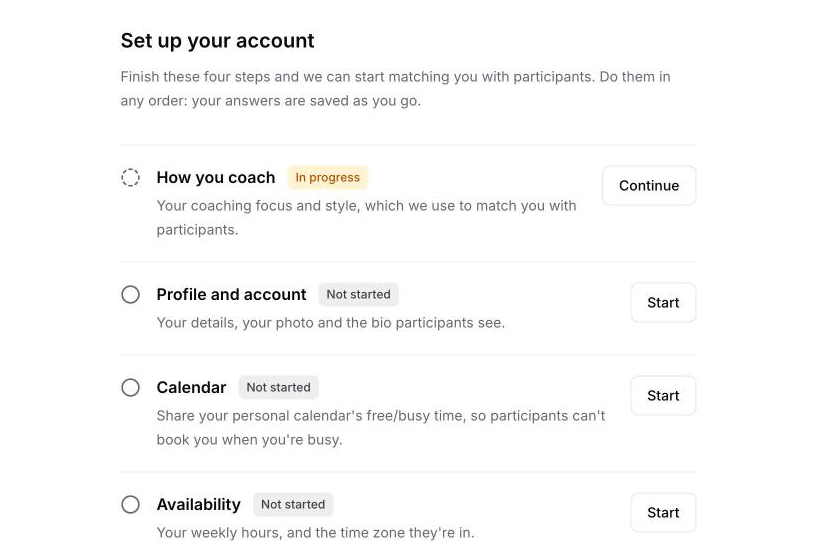
- How you coach: your coaching focus and style. We use your answers to match you with participants, so answer as fully as you can.
- Profile and account: your details, a photo (required) and a bio of 60 to 80 words in the third person, which participants see after they're matched with you. The last question asks how many participants you can coach at the same time.
- Calendar: share your personal calendar's free/busy time. See Connect your calendar.
- Availability: your weekly hours and their time zone.
Warning
Availability comes filled in with weekday hours. Change them to the times you really want sessions before you click Save availability, because saving makes you bookable during those hours.
When all four steps are done, you'll see a welcome message and you're ready to be matched. We email you when you have a participant.