Reschedule or cancel
Move or cancel a session up to 23 hours before it starts. We remind you by email before each session.
Warning
You can reschedule or cancel up to 23 hours before a session starts. After that, the options are no longer shown. If something comes up, email the Zella team at hello@zellalife.com.
Reschedule
- Open the session from your Sessions page, or click View session in any session email.
- Click Reschedule at the top of the session page. On a phone, it's in the menu (the three dots next to the session title).
- Pick a new day and time and click Reschedule session.
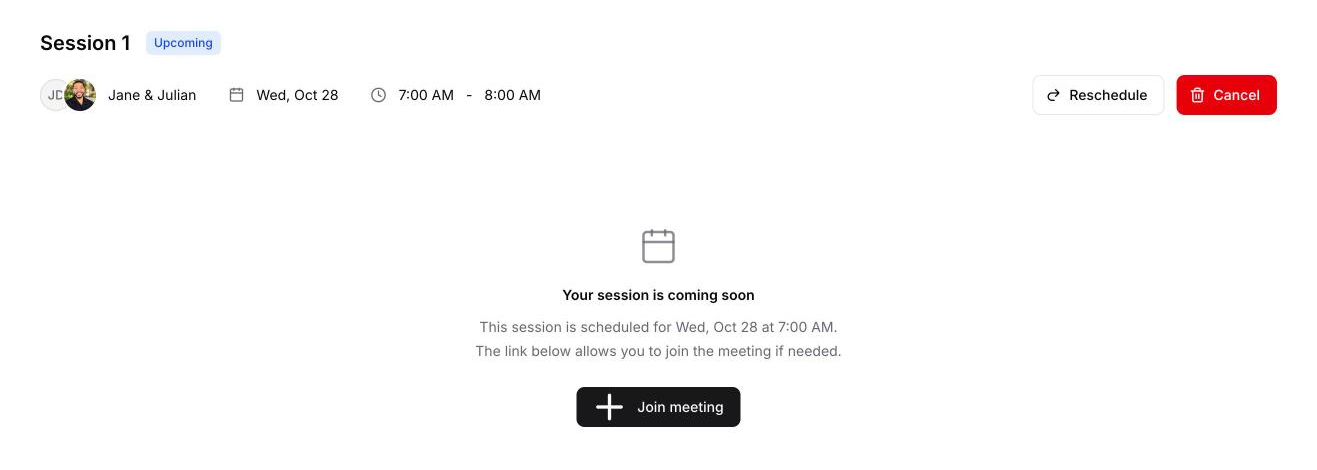
You and your coach both get an email with the new time.
Cancel
- Open the session and click Cancel (on a phone, it's in the three-dot menu).
- Click Cancel session to confirm.
You and your coach both get an email. A canceled session doesn't use up one of your sessions, so you can book another.
Reminders
We email you before each session: 2 days before (if you booked that far ahead), 1 day before and 1 hour before. Each reminder links to the session page.