Sign in
Sign in with a link we email you, or add a passkey to sign in with your face, fingerprint or device PIN.
Zella Life doesn't use passwords. You sign in with a link we email you, or with a passkey.
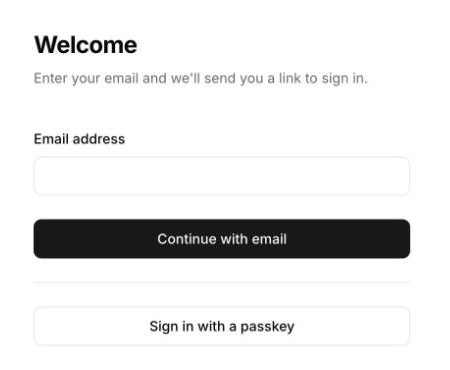
Sign in with an emailed link
- Go to zellalife.com/login.
- Enter the email address your invitation was sent to and click Continue with email.
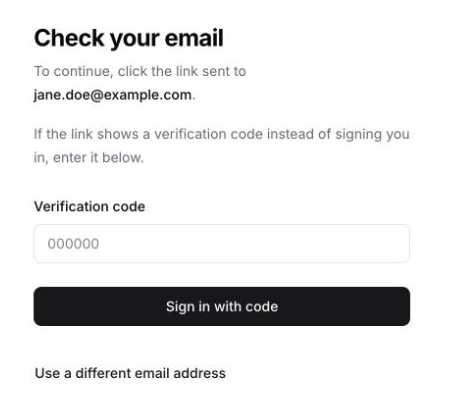
- Open the email "Your secure link to sign in" and click Sign in. The link works for 10 minutes.
Opened the email on another device?
If you open the link on a different phone, computer or browser from the one you started on, it shows a verification code instead of signing you in. Back on the first device, click Enter verification code, type the code and click Sign in with code.
Sign in faster with a passkey
A passkey lets you sign in with your face, fingerprint or device PIN, with no email to wait for.
- Open your account menu (your initials) and click Settings.
- Under Passkeys, click Add a passkey and follow your device's prompt.
- Next time, click Sign in with a passkey on the sign-in page.
If you lose your passkeys, signing in by email still works.
Didn't get the email?
- Check your spam and promotions folders.
- Make sure you used the address your invitation was sent to.
- If you ask for several links in a row, sign-in pauses for up to an hour. Wait, then try again.
Still stuck? Email the Zella team at hello@zellalife.com.